
Jupyter#
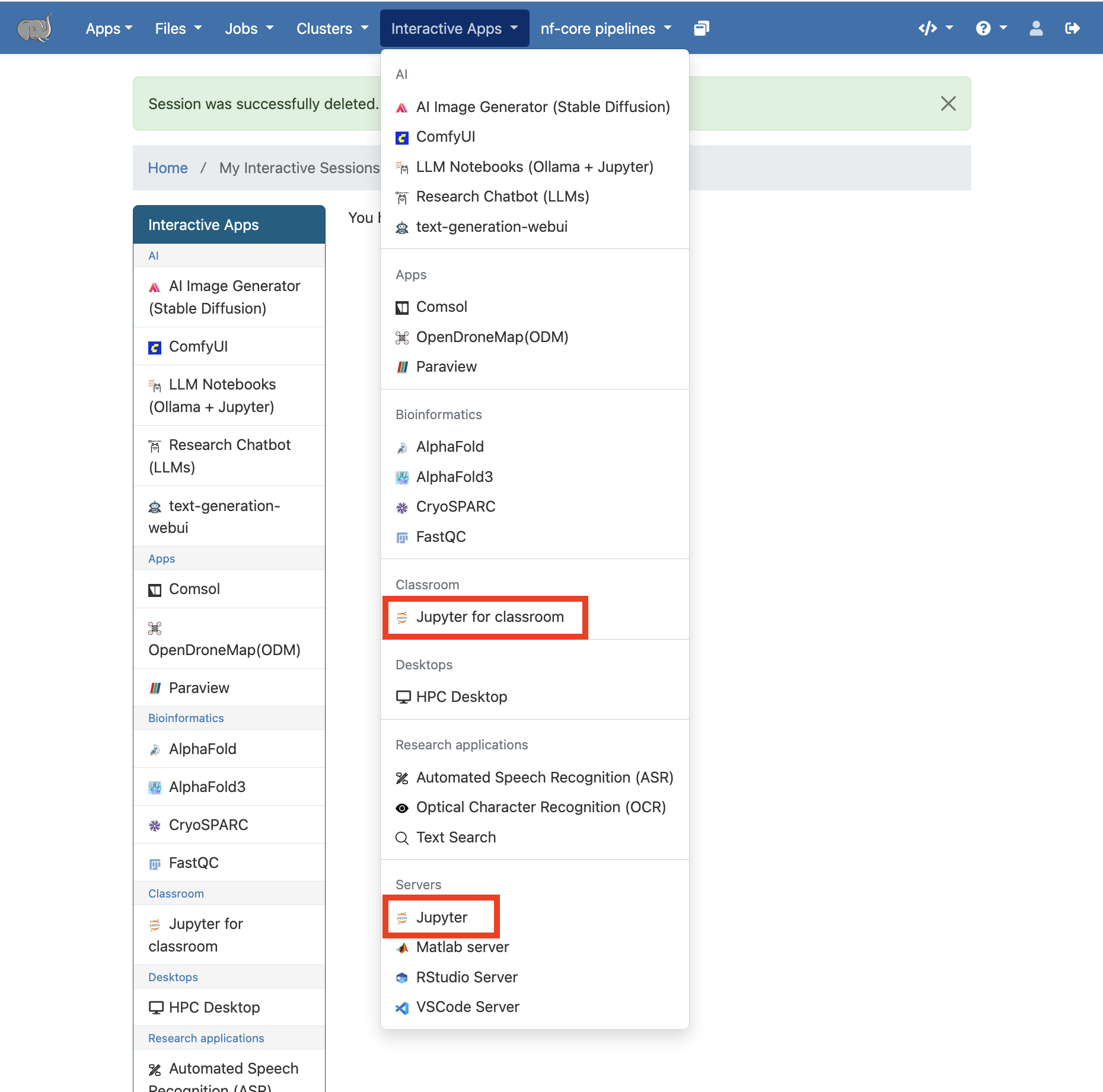
General and Classroom Jupyter apps are available and supported on Tufts HPC OnDemand, https://ondemand-prod.pax.tufts.edu/ under
Interactive Apps.Both Jupyter Notebook and Jupyter Lab are available via
JupyterandJupyter for classroomapps.
Jupyter (General)#
Open
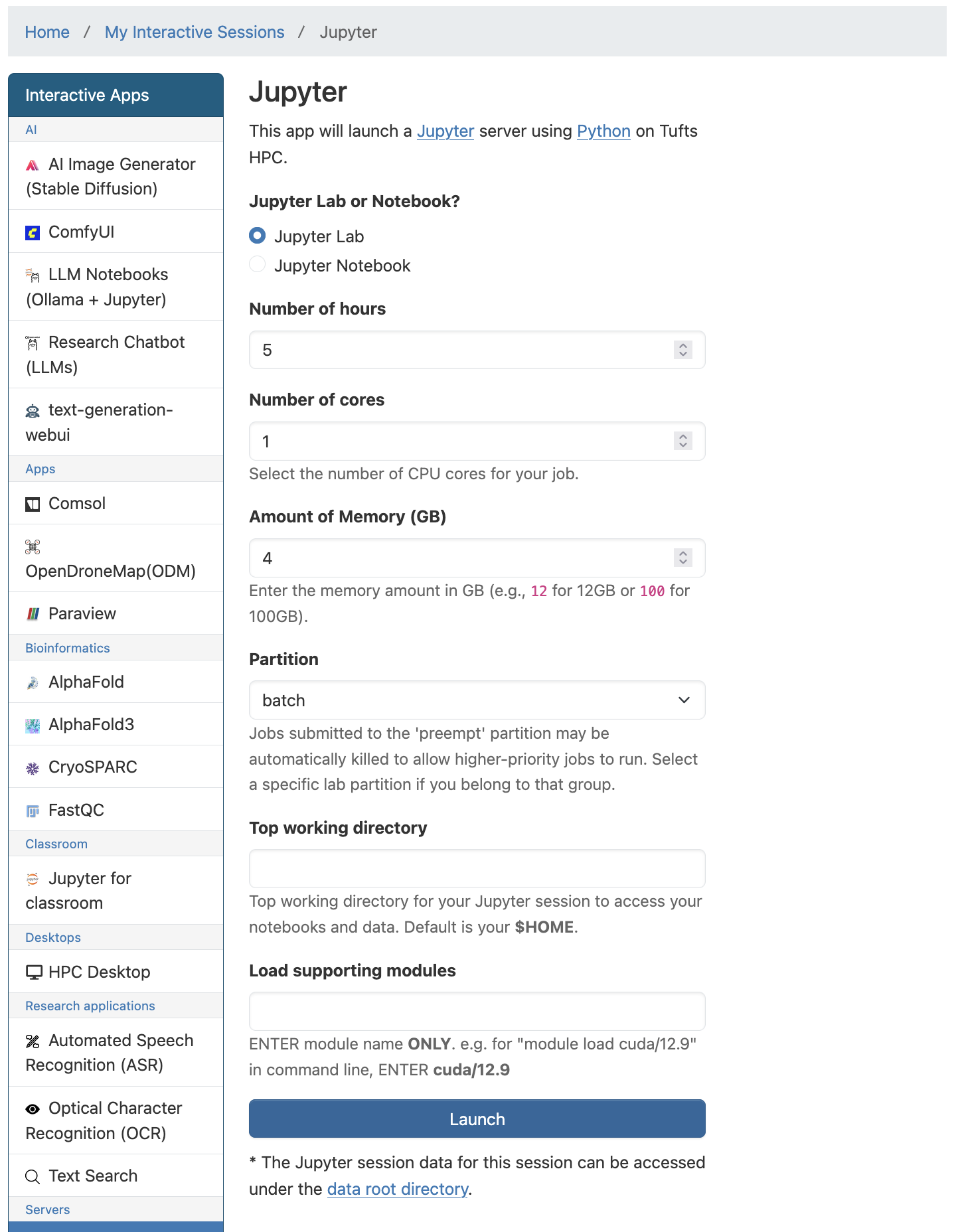
JupyterinInteractive Apps. Select appropriate resources for your work.
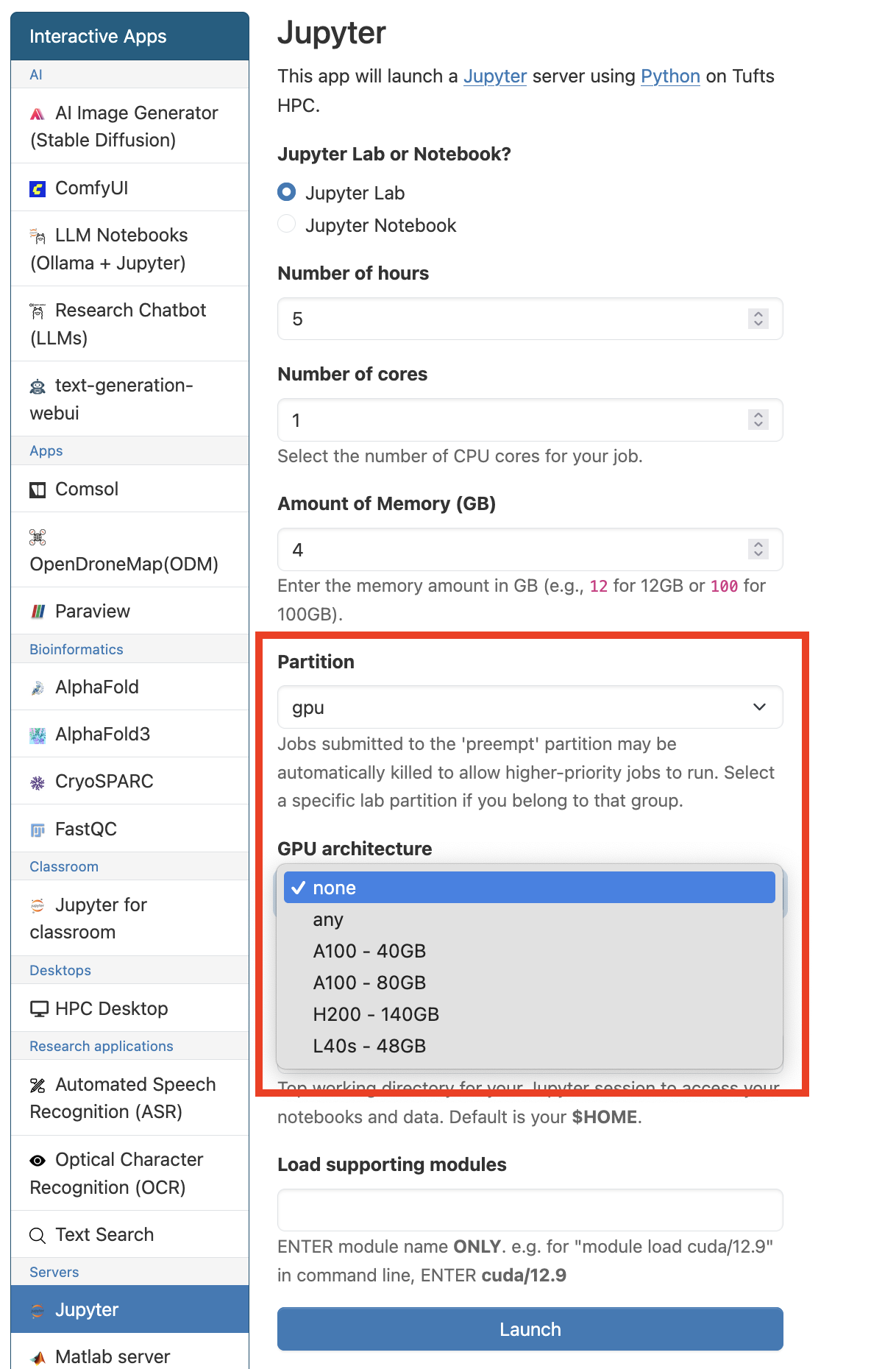
GPUs are avalilable when gpu partition is selected.
Click Launch when you are ready.
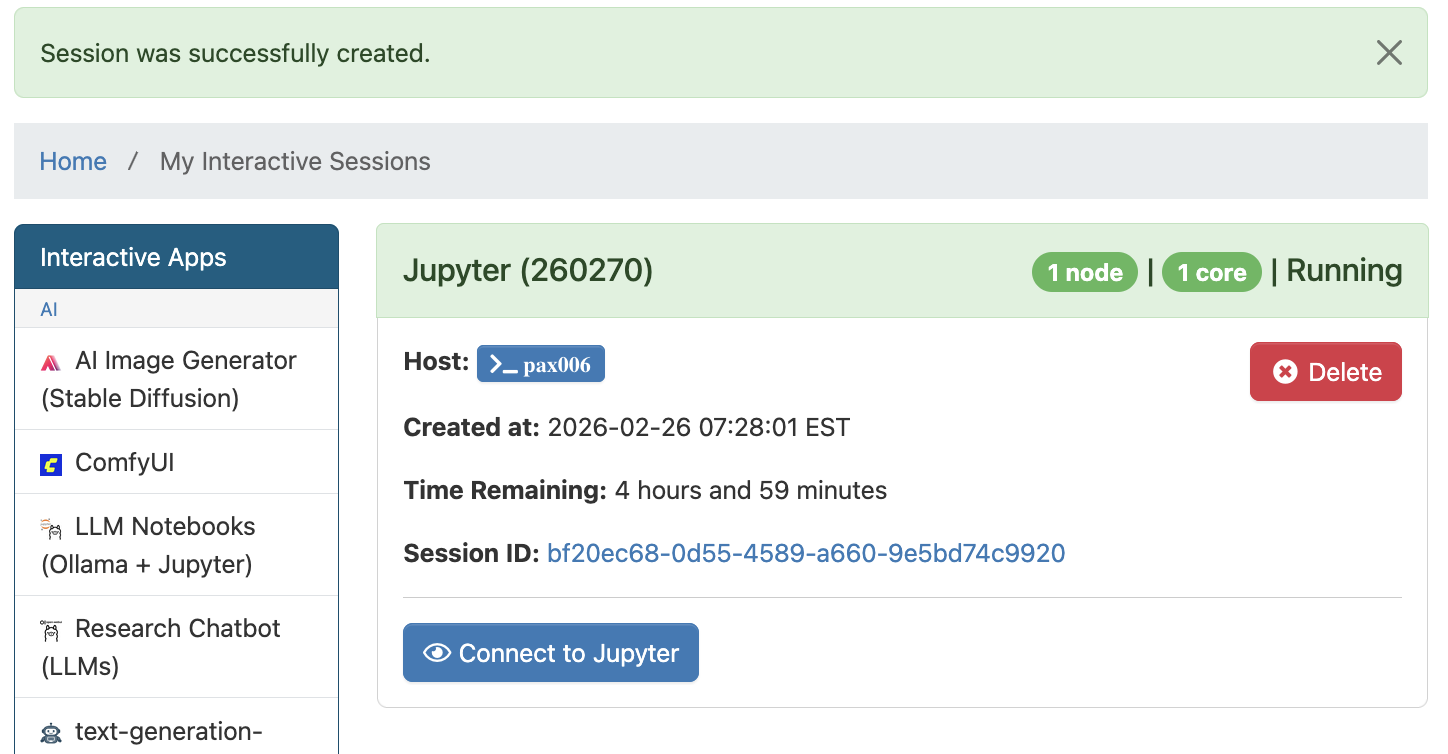
Once the resource for your session is allocated, click
Connect to Jupyterto start.
Default and customized kernels can be used with Jupyter.
Learn how to create your own conda environment and Jupyter kernel on Tufts HPC cluster.
When finished,
Deletethe Jupyter session inMy Interactive Sessionsto free resources for other users.
Jupyter for Classroom#
Jupyter for classroomis designed to support courses and workshops on HPC cluster.Jupyter kernels are available for each listed course or workshop with preinstalled packages.
If you are teaching and interested in utilizing HPC cluster resources for your class, please review our HPC Course Policy and submit a HPC Course Request.
Open
Jupyter for classroominInteractive Apps. Select the class or workshop you are attending and appropriate resources for your work.
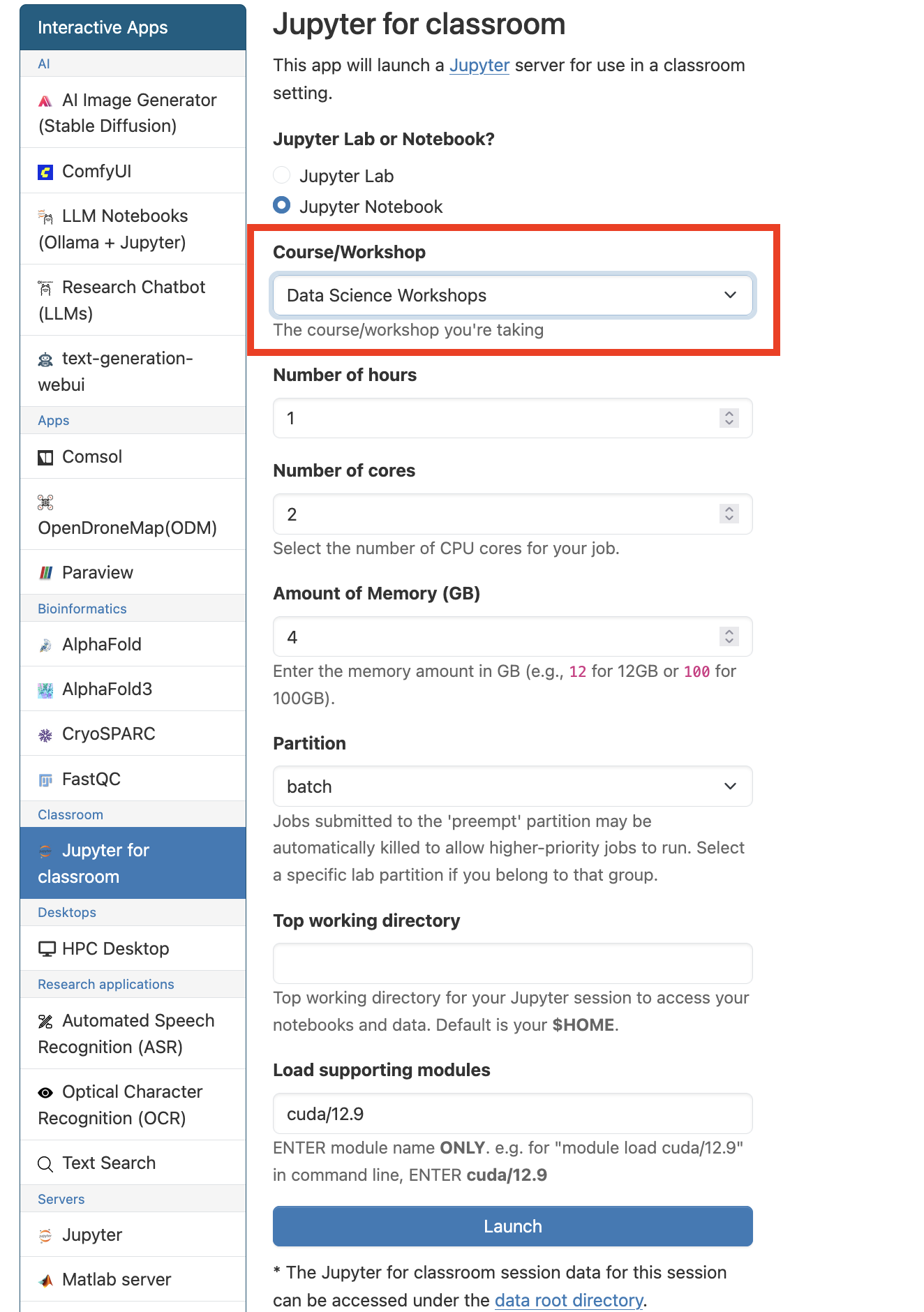
Similar to Jupyter app, GPUs are avalilable when gpu partition is selected.
Click Launch when you are ready.
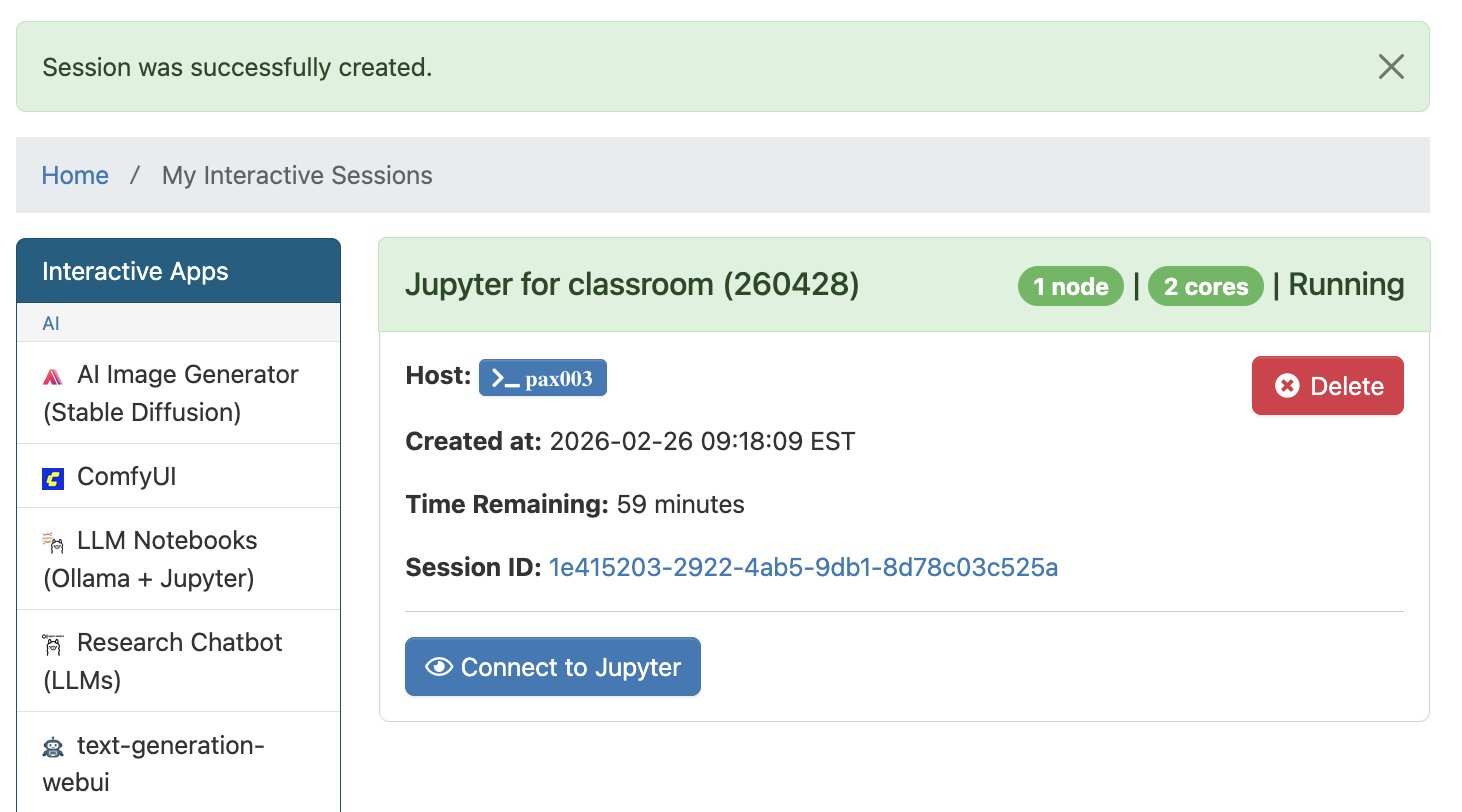
Once the resource for your session is allocated, click
Connect to Jupyterto start.
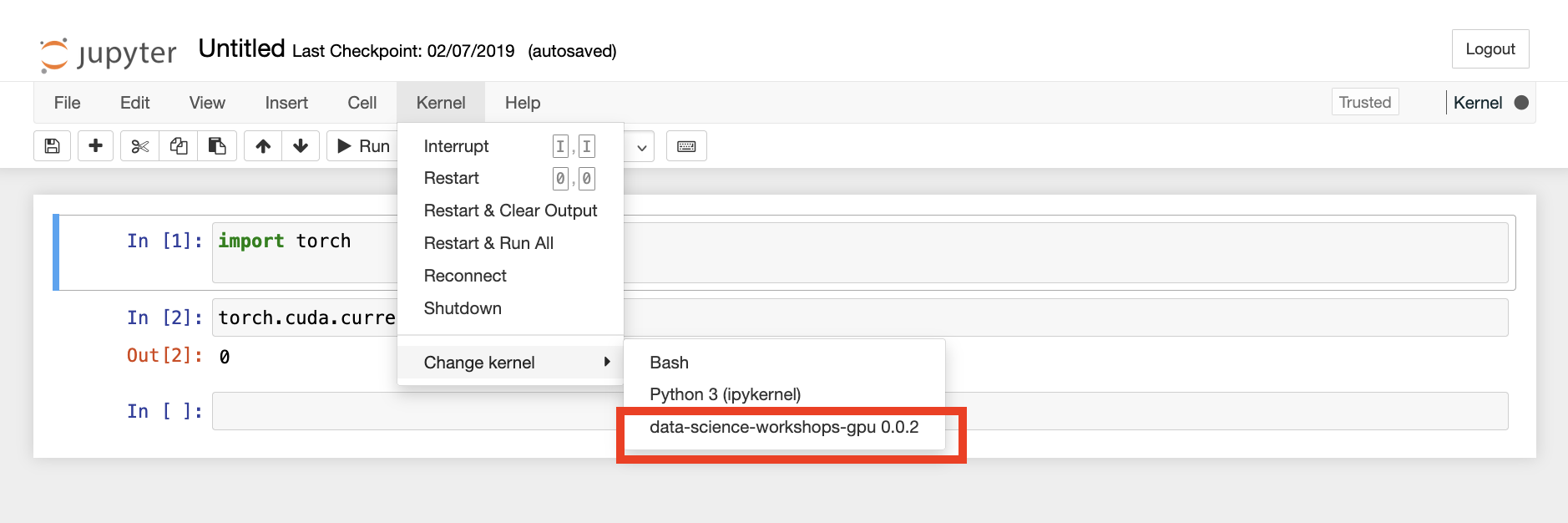
Change and select the corresponding course/workshop kernel to access the preinstalled packages and start your work.
When finished,
Deletethe Jupyter for classroom session inMy Interactive Sessionsto free resources for other users.